FIG. 01
01 Chat & vision
Direct answers and vision on the local engine, with your information in context.
Ask directly
Smol super intelligence
A complete inference system, running on hardware you own. Local execution. Direct answers. No token metering.
01 / The inference stack
Hardware you own, sized to the work. The foundation of a system that can run with the network unplugged.
An in-house inference engine tuned to its hardware. Certified open-weight models, direct answers, and vision in the same session.
Documents, spreadsheets, and images become a searchable local index. Only the relevant material enters the model’s context.
The model specifies the analysis. The host executes the calculations and renders the tables and charts.
Background workers handle indexing, curation, and delegated analysis while the foreground session stays responsive.
Engine, index, tools, and workers. One local system, with your hardware and your information at its foundation.
02 / Capabilities
Direct answers and vision on the local engine, with your information in context.
Ask directlySearch documents, spreadsheets, and images in a local index. Only relevant material enters the context.
Bring your contextThe model specifies the analysis. The host executes the calculations and renders the tables and charts.
Compute the answer Qwen
 Llama
 DeepSeek
 Mistral
 Gemma
 Kimi
 gpt-oss
Qwen is certified for the current release. Additional families require certification before deployment. Discuss your model ↗
03 / Agent workflows
Find context, delegate analysis, and execute tools with a local model. The work stays on your hardware, even with the network disconnected.
Search local documents, spreadsheets, and images. Bring the useful context into the task.
The model directs the task and delegates analysis to background workers.
The host executes calculations and builds the tables and charts in your workbook.
Inspect the analysis and workbook, check the underlying material, and decide what happens next.
Example workflowCompare supplier proposals and build a cost breakdown.
Evaluate your workflow04 / Deployment
One team evaluates the workflow, configures the system, and supports the deployment.
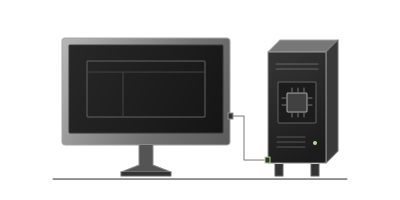
One analyst. A signed desktop application.
Works with the network unplugged.
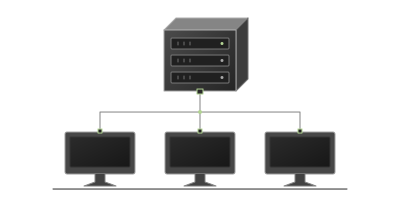
Local inference for a team, with concurrent sessions and background workers.
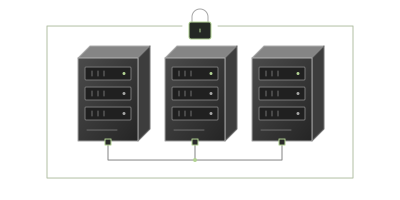
Dedicated capacity for isolated environments, with deployment engineering.
Per seat or per node.
Never per token.
Private by construction
For work that needs to stay inside your perimeter.
Offline execution, local document processing, and deployment controls configured around your organization’s requirements.
Deployment options cover data residency, access control, audit logging, encryption, and network isolation. Every ingested file is scanned for prompt injection, with the verdict stored alongside the document. Production model directories carry byte-level manifests and release stamps.
Supporting documentation for security reviews is available under NDA. Request security documentation ↗
For regulated work, inside your perimeter.
Supporting documentation and applicable scope are available under NDA during your security review.
Request documentation05 / Get started
Your documents. A configuration suited to the task. An evaluation with the engineers who build the system.
An engineer replies within one business day.
Request received
An engineer will reply to within one business day to arrange a 30-minute call around your workflow.
Need to add anything? hello@smolsi.com ↗
A few useful details
Local model families include Qwen, Llama, DeepSeek, Mistral, Gemma, Kimi, and gpt-oss. Qwen is certified for the current release; additional families require certification before deployment. Ask about the model and configuration you need during your evaluation.
We size the configuration around your workflow. Workstation and shared-node configurations are shipping; private clusters are in early access. Hardware selection and procurement are available through our deployment team.
Annual licenses per seat for workstations or per node for shared inference. Enterprise deployments are quoted. There is no per-token metering; pricing is shared during your evaluation.
Yes. The model, document index, and tools can operate with the network disabled. We configure deployment controls around your requirements and provide supporting security documentation under NDA.